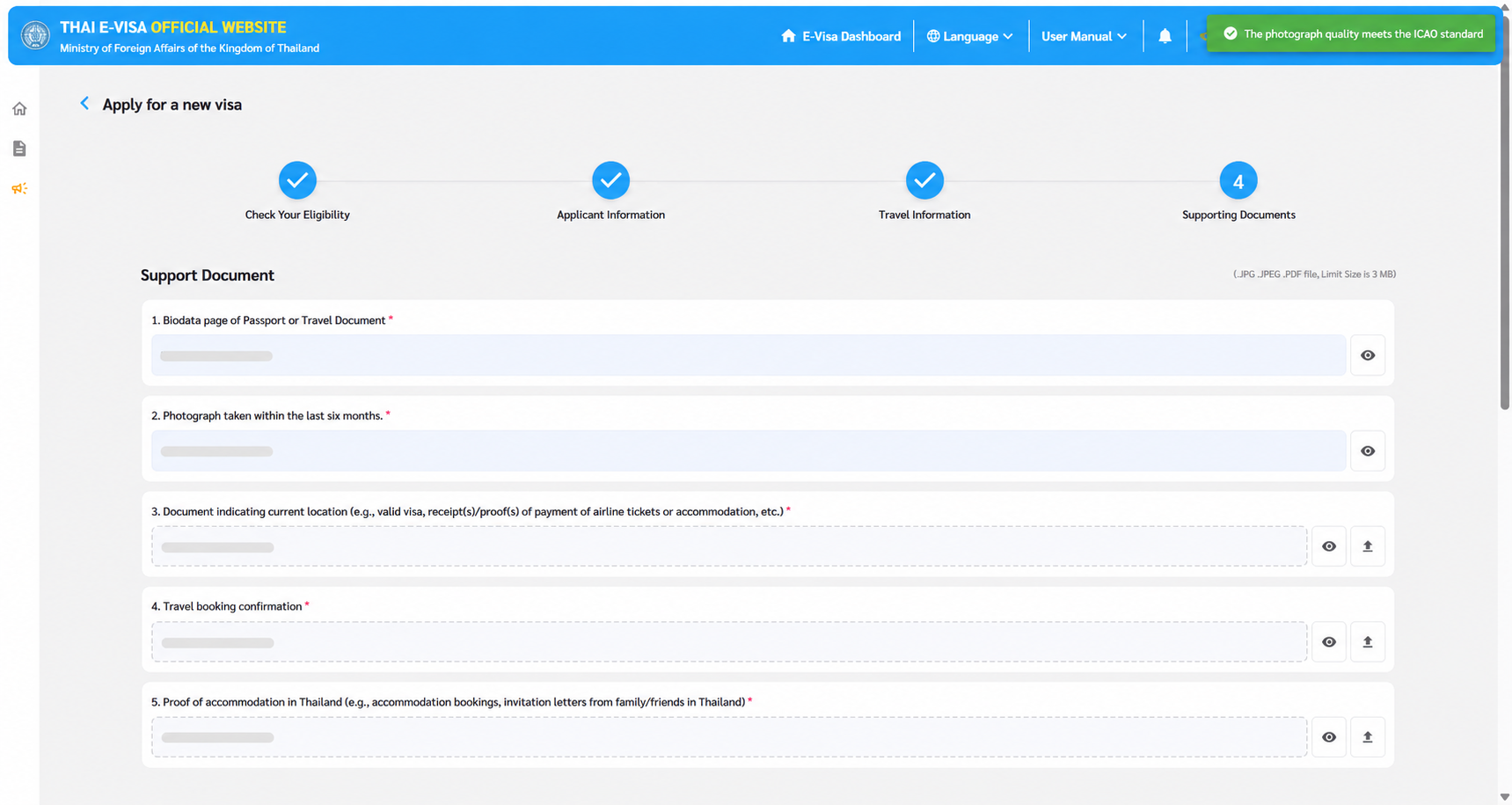
A complete set of documents and a reviewed internal form are important milestones. The team may still need to move the information into the official visa application portal.
That handoff is where Smart Bridge fits in the Propellus journey. It connects the preparation work to a supported portal while keeping the team responsible for review and submission.
The work starts before the portal
The journey begins with guided chat and document collection. The traveller is guided through the information needed for the configured application. Document extraction makes details available for checking and form preparation, while gaps and mismatches are flagged for attention.
The team reviews the prepared application and resolves outstanding issues. This matters because transferring information faster is not useful if unresolved errors travel with it.
Smart Bridge is the transfer step
In the supported portal workflow, the user opens the relevant portal, signs in as required and runs the Smart Bridge handoff. Reviewed application information and documents are transferred into the supported parts of the portal process.
Portal sign-in, the transfer action and the final submission are distinct steps. The team should understand what is being transferred, what still needs attention and where its review is required.
Portal-ready is the result to inspect
The next view should show the populated application and the documents in place, ready for the team’s final check. That is different from showing the portal’s home page or sign-in screen again.
Propellus prepares and checks. Your team reviews and submits. A completed transfer is not a visa approval, and a prepared application does not remove the need for the portal’s required checks.
Confirm the scope for each market
Propellus can configure preparation journeys around destination, nationality and residency. Smart Bridge support for the destination’s portal is a separate part of the rollout discussion.
When reviewing a demonstration, ask which visa workflow it shows, which portal steps are supported, and which actions remain with the team. A demonstration for one destination should not be treated as proof of identical support everywhere.
What a useful demo should show
- The information collected through guided intake.
- Documents being read and relevant details prepared.
- A gap or mismatch being resolved before human review.
- The handoff into a supported portal.
- The populated application and documents, followed by the team’s final review.
This makes the value of the connected journey visible. It also gives your operations team a concrete way to assess how the workflow would fit the applications it handles.
See the workflow
Bring your team’s process to the conversation.
Explore the product and discuss the destinations and application stages that matter to your business.